
Genfeed Playground
Generate images, video, audio and text from a prompt
CreateIncluded in every workspace
What it is
What is Playground?
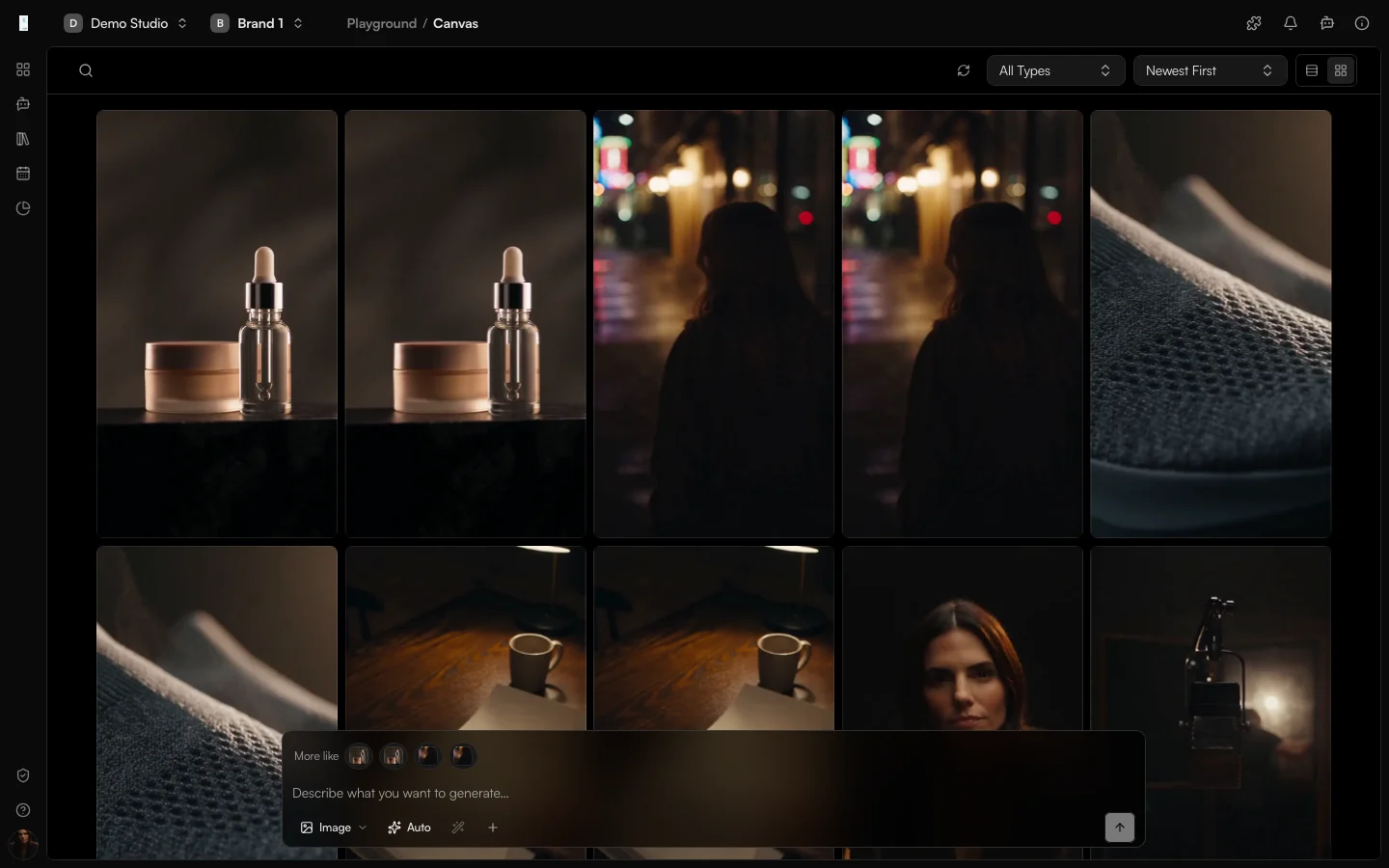
Playground is the Genfeed app for one-off generation. You write a prompt, pick an output type and a model, and refine the result until it fits. Images, video, audio and text all start from the same prompt bar, and everything you make is saved to your Library.
- Generate images, videos, audio and text
- Iterate on a result with follow-up prompts
- Every asset is saved to your Library
How it works
From idea to result
- 01
Describe
Write a prompt, or attach a reference image or video. - 02
Generate
Choose the output type and model, or let routing choose where supported. - 03
Refine
Follow up with a new prompt until the result fits. - 04
Keep
The result is saved to your Library, ready to edit or publish.
Use cases
What teams use Playground for
Product imagery
A product photo on a clean studio background, in every ratio your channels need.Short product ads
A short ad that opens on the product, says one benefit and ends on the brand.Editing a source image
Change an existing image with a prompt, with masks where the model supports them.Outputs
What Playground produces
Images
Campaign stills, product shots and design variations in the ratio you need.Video
Short-form clips and campaign footage from a brief or a reference.Audio
Voiceovers, spoken tracks and music.Text
Captions, scripts and copy written from the same prompt bar.Access and pricing
Included in every workspace. Generation spends credits, and the open source Community build is free to self-host.Start free, pay for output
Default
Free + PAYG
Pay As You Go
Agencies★ Popular
$499/mo
Scale
Studios
Custom
Enterprise
FAQ
Playground: common questions
What can I generate in Playground?
Images, video, audio and text. Voice and music are part of audio; written content comes from the same prompt bar. Available models depend on the format, deployment and configured providers.
Do I have to pick a model?
You can choose a model for the output you want, or use automatic routing where it is supported. The live catalog lists every model and what it is for.
Where do my generations go?
Every generated asset is saved to your Library, so nothing is lost when you close the tab. From there you can reuse it in Storyboard, Editor or Publishing.
Is Playground free?
Generation uses credits. Playground is included in every workspace; the amount depends on the model and the output.
Keep going