
What it is
What is Library?
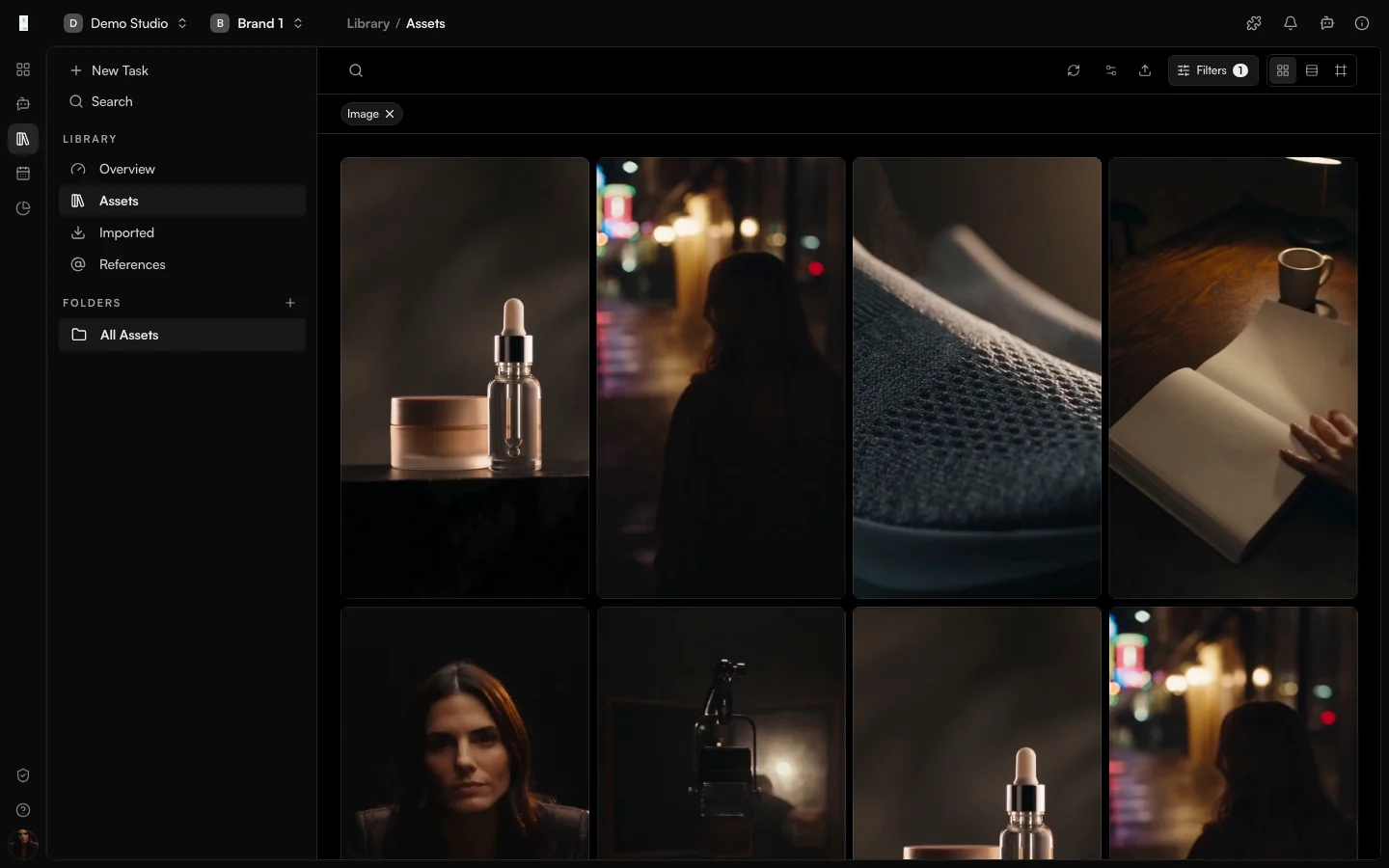
Library is the Genfeed home for every asset. Everything you generate, import or approve is saved and searchable, and brand kits and moodboards keep your logos, colors, fonts and references reusable.
- Every output is auto-saved and searchable
- Brand kits for logos, colors, fonts and voice
- Moodboards to steer new generations
How it works
From idea to result
- 01
Create
Generate or import assets. - 02
Save
Every output lands in your Library automatically. - 03
Organize
Group assets into brand kits and moodboards. - 04
Reuse
Pull saved assets into any future generation.
Use cases
What teams use Library for
Brand kits
Keep logos, colors, fonts and voice references in one kit.Moodboards
Collect references into a moodboard to keep a consistent look.Team sharing
Share assets across the team so everyone uses the approved version.Outputs
What Library produces
Asset archive
A searchable archive of every image, video and voice.Brand references
Reusable brand kits and moodboards.Access and pricing
Included in every workspace. Generation spends credits, and the open source Community build is free to self-host.Start free, pay for output
Default
Free + PAYG
Pay As You Go
Agencies★ Popular
$499/mo
Scale
Studios
Custom
Enterprise
FAQ
Library: common questions
What is stored in the Library?
Every image, video and voice you generate is auto-saved and searchable, along with your brand kits and moodboards.
Is the Library shared with my team?
Yes. Assets are shared across your team so everyone works from one source.
Can I reuse saved assets?
Pull a saved asset into any later generation as a reference, or collect references into a moodboard.
Keep going