
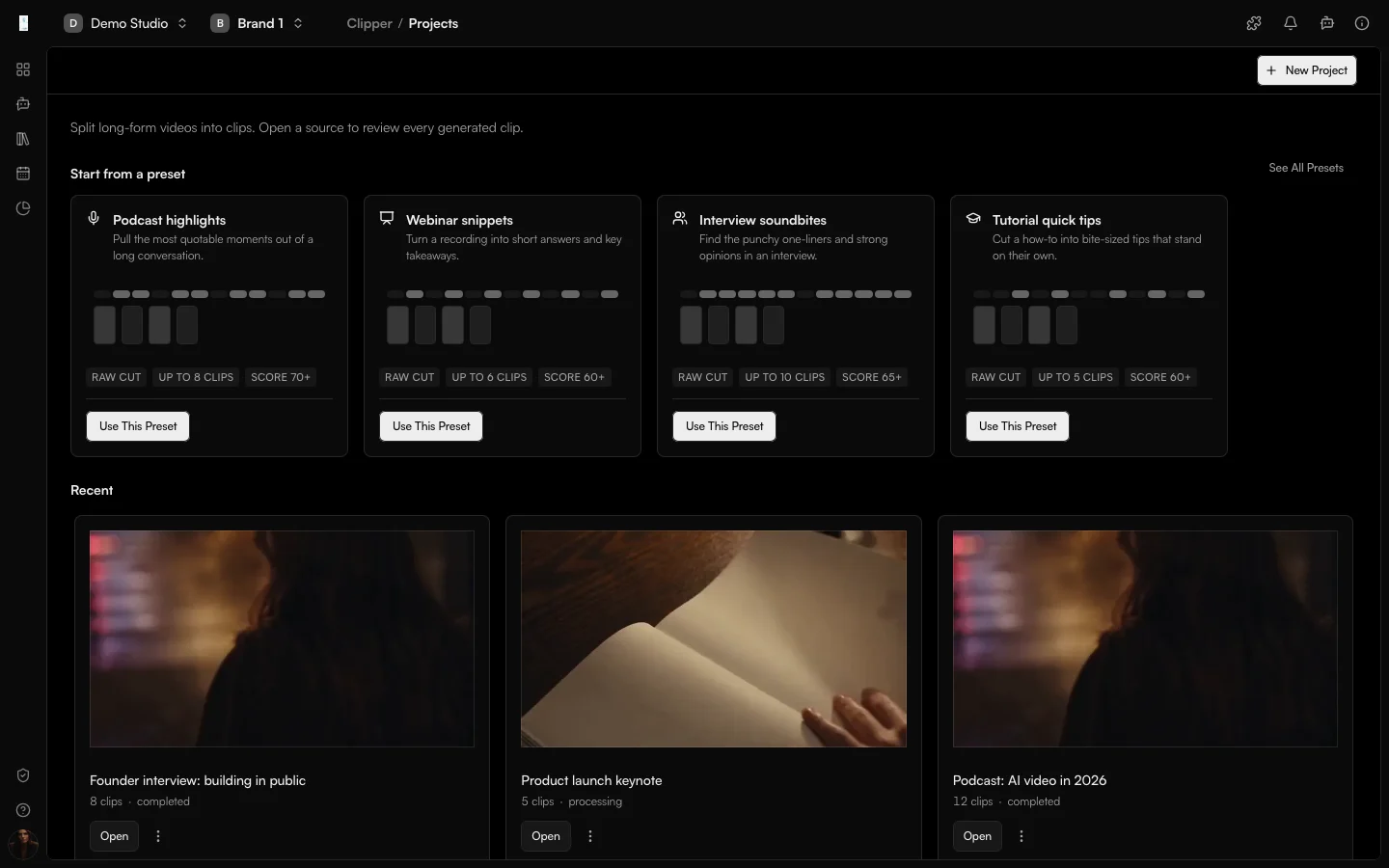
What it is
What is Clipper?
Clipper is the Genfeed app that turns long videos and audio into short clips. You bring in a recording or a link, pick the highlights, and export captioned clips that are ready for social.
- Import a long video or audio file
- Pick the highlights to cut
- Export clips ready to publish
How it works
From idea to result
- 01
Import
Add a YouTube link, upload a file or choose from Library. - 02
Analyze
Clipper processes the source video and creates clips to review. - 03
Pick
Select the moments worth cutting. - 04
Export
Export captioned clips and publish them.
Use cases
What teams use Clipper for
Podcasts
Cut an hour-long episode into a week of short clips for social.Interviews and webinars
Pull the strongest answers out of an interview or webinar.Long-form YouTube
Repurpose a long YouTube upload into Shorts, Reels and TikToks.Outputs
What Clipper produces
Clips
Short captioned clips cut from the source video.Library assets
Every clip is saved to your Library and can go straight to Publishing.Access and pricing
Add from Plugins. Generation spends credits, and the open source Community build is free to self-host.Start free, pay for output
Default
Free + PAYG
Pay As You Go
Agencies★ Popular
$499/mo
Scale
Studios
Custom
Enterprise
FAQ
Clipper: common questions
What can I clip?
A YouTube link, an uploaded file, or a video already in your Library.
How long can the source be?
Long-form audio and video up to 10 GB and 6 hours are supported.
Do I control which moments become clips?
You choose which highlights to cut. Completed clips stay ready, and a retry only reruns the work that failed.
How do I turn Clipper on?
Clipper is added from Plugins in your organization settings. Its generation uses credits.
Keep going